Home Events Creator Hub Brand Portal
View Creator Opportunities

Creator Hub Creator Tools - Hardware

Creator Tools - Hardware

Cameras, microphones, lighting, desks and the equipment to build your setup.

Streaming Setup Guide

Everything you need to go live, from your desk layout to your gear.
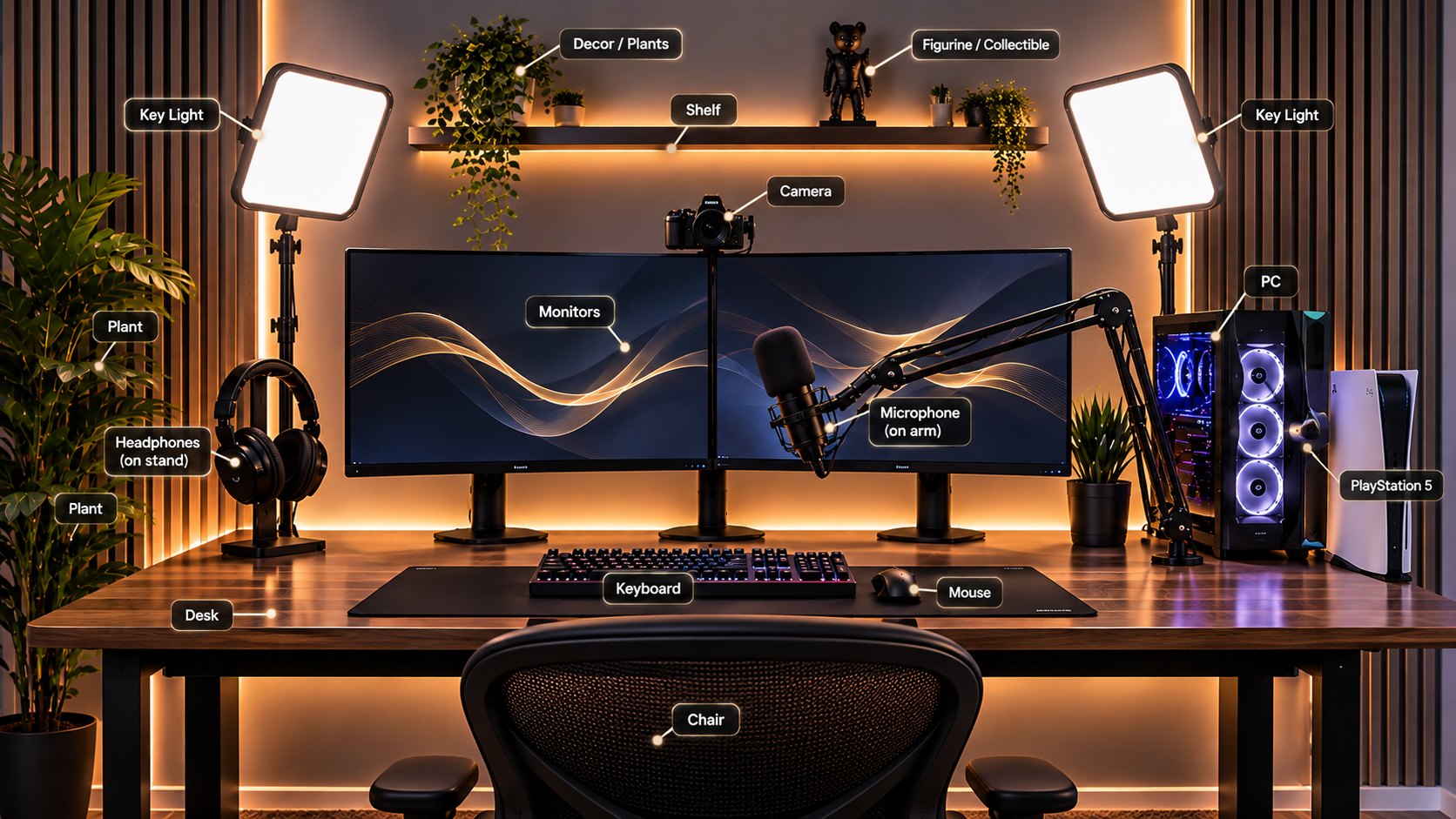
Streaming setup with dual monitors, two key lights, a camera, a microphone on an arm, headphones on a stand, a PC and a PlayStation 5, each labelled

Recommended gear

Recommended key lights

Coming soon

Recommended camera

Coming soon

Recommended monitors

Coming soon

Recommended microphone

Coming soon

Recommended headphones

Coming soon

Recommended keyboard

Coming soon

Recommended mouse

Coming soon

Recommended PC

Coming soon

Recommended PlayStation 5

Coming soon

Recommended desk

Coming soon

Recommended chair

Coming soon

Recommended shelf

Coming soon

Recommended plants and decor

Coming soon

Recommended figurines and collectibles

Coming soon

Connections and setup

  1. PC or PS5 to monitors. Use HDMI or DisplayPort.
  2. Mic to PC. Use USB, or XLR through an audio interface.
  3. Camera to PC. Use USB.
  4. Lights to power. Plug into the wall.
  5. Check audio levels. Use OBS or your streaming software.
  6. Run a test stream. Make sure everything works.

Pro tips

  • Keep your background clean.
  • Use soft lighting and avoid harsh shadows.
  • Position your mic close, about 15 to 20 cm.
  • Place your lights at a 45° angle.
  • Test your audio and video before streaming.
  • Add personal touches like plants and art.
Can't find what you need? Ask the team
Creator Opportunities - View Brands